Current section
Files
Jump to
Current section
Files
phoenix_diagrams
README.md
README.md
# PhoenixDiagrams
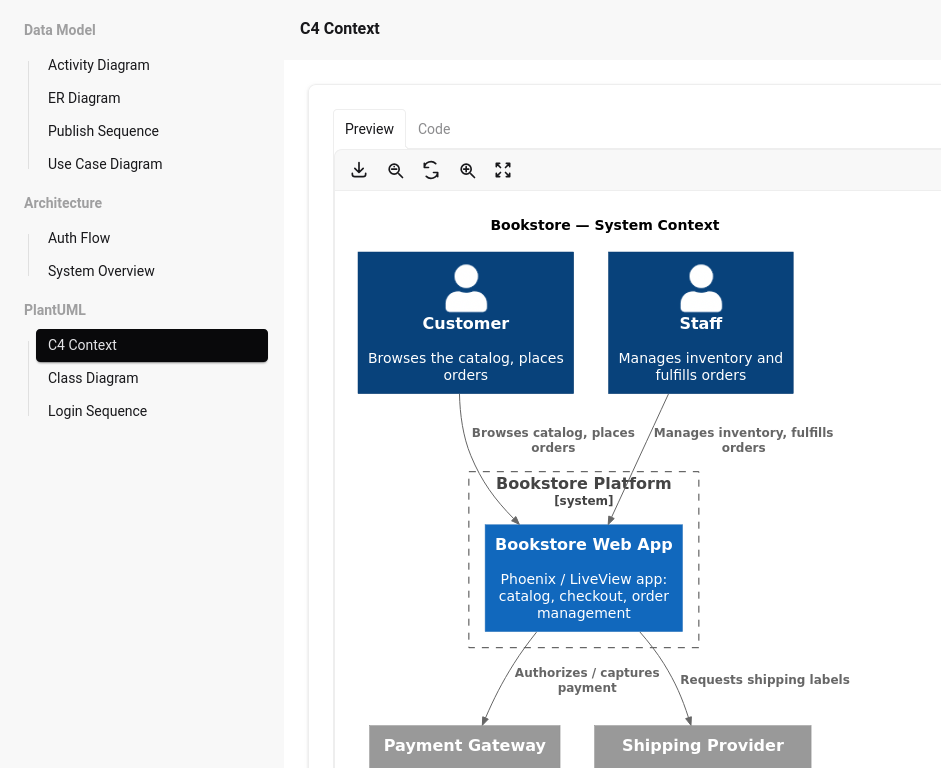
PhoenixDiagrams keeps a searchable catalog of Mermaid and PlantUML diagrams inside your Phoenix application. Point it at a directory, and it shows your diagrams in a sidebar and detail view, always in sync with the source files and versioned with the rest of the codebase.
## Motivation
My diagrams were scattered across old Confluence pages, Notion docs, and Slack threads, and half the time they didn't even match what the app was actually doing anymore. So I started having AI agents generate diagrams directly from the codebase, then deployed them to test environments where my teammates could review them and use them in demos.
## Features
- Mermaid and PlantUML rendering, done client-side, so no Java and no PlantUML server needed
- Pan and zoom on each diagram
- Copy the diagram source to clipboard
- Download a diagram as an image
- Live reload in development: save a diagram file and see the change right away
## Installation
```elixir
def deps do
[
{:phoenix_diagrams, "~> 0.2", only: :dev}
]
end
```
### 1. Mount the router
```elixir
defmodule MyAppWeb.Router do
use MyAppWeb, :router
import PhoenixDiagrams.Router
scope "/" do
pipe_through :browser
if Mix.env() == :dev do
live_phoenix_diagrams "/diagrams", diagrams_path: "priv/diagrams"
end
end
end
```
This mounts `PhoenixDiagrams.DiagramLive` at `/diagrams`. `:diagrams_path` is required.
### 2. Add a diagram
Place a `.exs` file next to the diagram source:
```elixir
# priv/phoenix_diagrams/backend/overview.exs
[
group: "Backend",
name: "System Overview",
source: Path.join(__DIR__, "overview.mmd")
]
```
`source` points to a `.mmd` (Mermaid) or `.puml` (PlantUML) file. Add as many `.exs` files as you like — they'll show up in the sidebar, grouped by `group`.
For more examples, see the [`demo/`](https://github.com/oshanz/phoenix_diagrams/tree/main/demo) app — a full Phoenix app with sample `.exs`/`.mmd`/`.puml` diagram definitions you can run locally with `cd demo && mix phx.server`.
## Development
```sh
mix deps.get # install dependencies
mix precommit # format, compile (warnings as errors), credo, test
cd demo && mix phx.server # run the demo app
```
## Contributing
Found a bug or have an idea? See [CONTRIBUTING.md](https://github.com/oshanz/phoenix_diagrams/blob/main/CONTRIBUTING.md) for setup, testing, and what to expect from a pull request.