Current section
Files
Jump to
Current section
Files
README.md
# Hakushi

**A canvas for Phoenix LiveView: nodes and edges on an endless sheet that
people pan and zoom.**
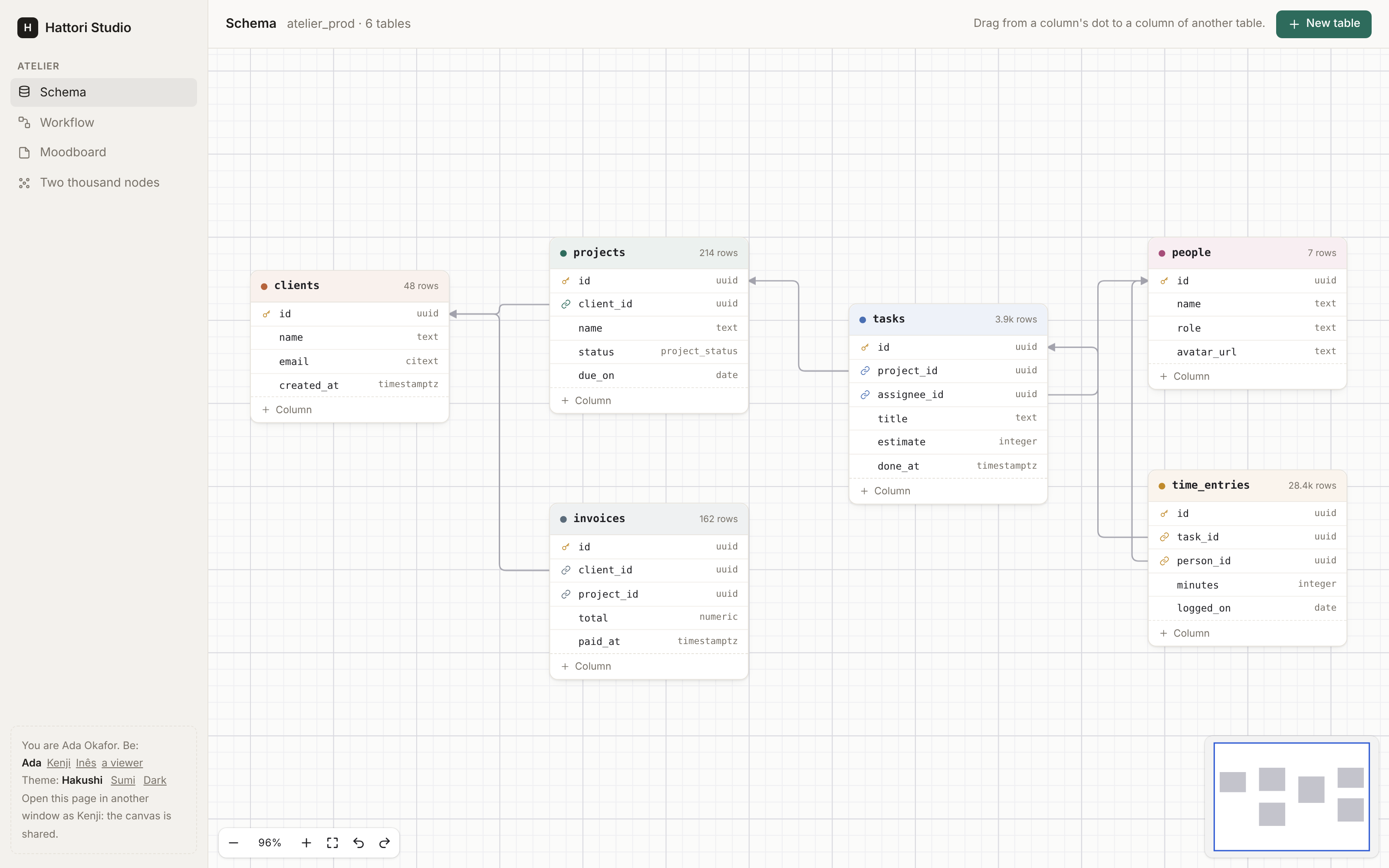
Database schemas, workflows, moodboards, mind maps, org charts. You draw
each node in your own HEEx. People connect them. Your server checks and
saves each change. It is a whole canvas on its own, for one person at a
time. For many people on one canvas, add
[Issho](https://github.com/hattoriai/issho) (optional).
Hakushi (白紙) means "a blank sheet of paper". The JavaScript comes
prebuilt in the Hex package, so your app does not need Node.js for it.
## Install
You need Elixir 1.18+, Phoenix 1.7.14 or 1.8, and Phoenix LiveView 1.1+.
With [Igniter](https://hexdocs.pm/igniter), one command adds Hakushi and
sets it up. It shows each change and asks before it writes:
```sh
mix igniter.install hakushi
```
<details>
<summary>Without Igniter</summary>
Add `{:hakushi, "~> 0.7"}` to the deps in `mix.exs`, then run:
```sh
mix deps.get
mix hakushi.install
```
The installer adds the hook to `assets/js/app.js` and the style sheet to
`assets/css/app.css`. Use `--dry-run` to see the changes first. Then
import the components yourself (see [Your first canvas](#your-first-canvas)).
To make the same changes by hand, import the hook in `assets/js/app.js`
and add it to the `LiveSocket`:
```js
import { Hakushi } from "hakushi"
const liveSocket = new LiveSocket("/live", Socket, {
params: {_csrf_token: csrfToken},
hooks: {...colocatedHooks, Hakushi},
})
```
Import the style sheet in `assets/css/app.css`, below the other `@import`
lines. The Sumi theme is optional (Sumi is the design system of Hattori
AI, the makers of Hakushi), and follows Sumi's seven themes and their
accents:
```css
@import "../../deps/hakushi/priv/static/hakushi.css";
/* @import "../../deps/hakushi/priv/static/hakushi-sumi.css"; */
```
`import { Hakushi } from "hakushi"` resolves through the `NODE_PATH` of
your esbuild profile. It must include `deps/`, as the Phoenix generators
set it.
</details>
## Your first canvas
Import the components in the `html_helpers` of your web module (Igniter
did this for you):
```elixir
import Hakushi.Components
```
Make a graph of nodes and edges:
```elixir
graph =
Hakushi.Graph.new(
nodes: [
%{id: "a", type: "step", x: 0, y: 0, data: %{title: "Invoice paid"}},
%{id: "b", type: "step", x: 300, y: 0, data: %{title: "Send a receipt"}}
],
edges: [%{source: "a", target: "b"}]
)
```
Show it. Each node type is a slot with your own markup and handles:
```heex
<.canvas id="flow" graph={@graph} on_change={&Flows.change(&1, &2, @flow)} class="h-[40rem]">
<:node type="step" :let={node}>
<div class="step">
<.handle kind={:target} side={:left} />
{node.data.title}
<.handle kind={:source} side={:right} />
</div>
</:node>
</.canvas>
```
Check and save each change in `on_change`. Return an error to refuse the
change: the browser takes it back and shows the reason.
```elixir
def change(%Hakushi.Change{} = change, %{result: graph, by: by}, flow) do
if Flows.can_edit?(flow, by),
do: Flows.save_graph(flow, graph),
else: {:error, "You can look at this flow, not change it."}
end
```
Give the canvas a height. It fills the box you give it.
The [Quickstart](guides/quickstart.md) continues from here, with a full
LiveView and storage.
## What you get
* **Your own nodes.** HEEx, rendered on the server, with handles on the
node or on any row in it. → [Nodes](guides/nodes.md)
* **Edges with rules.** Bezier, steps or straight, with arrows and
labels. Rules for loops, duplicates, cycles and handle types, checked
in the browser and on the server. → [Edges](guides/edges.md)
* **The server decides.** Each move, edge, delete and paste goes through
`on_change` before people see it. → [Changes](guides/changes.md)
* **Ready-made kits.** Schema, Flow, Notes, Ink, Shapes and Images in
one line, or kits of your own. → [Kits](guides/kits.md)
* **Groups and frames, tidy up, and export as PNG or SVG.**
→ [Groups](guides/groups.md), [Layout and export](guides/layout.md)
* **Keyboard and screen readers.** The shortcuts of a design tool, and
each node and connection announced.
→ [Navigation](guides/navigation.md), [Accessibility](guides/accessibility.md)
* **Tests without a browser.** `Hakushi.Test` for
`Phoenix.LiveViewTest`. → [Testing](guides/testing.md)
The full list is in [Features](guides/features.md).
## Collaboration (optional, with Issho)
With [Issho](https://github.com/hattoriai/issho), several people edit one
canvas at the same time: live cursors, selections and drags, and your
policy for who may do what. Issho is an optional dependency: nothing of
it is compiled unless you add `{:issho, "~> 0.4.2"}`. Without it, the
canvas is the same, for one person. → [Collaboration](guides/collaboration.md)
## Try the demo
```sh
mix setup
mix dev
```
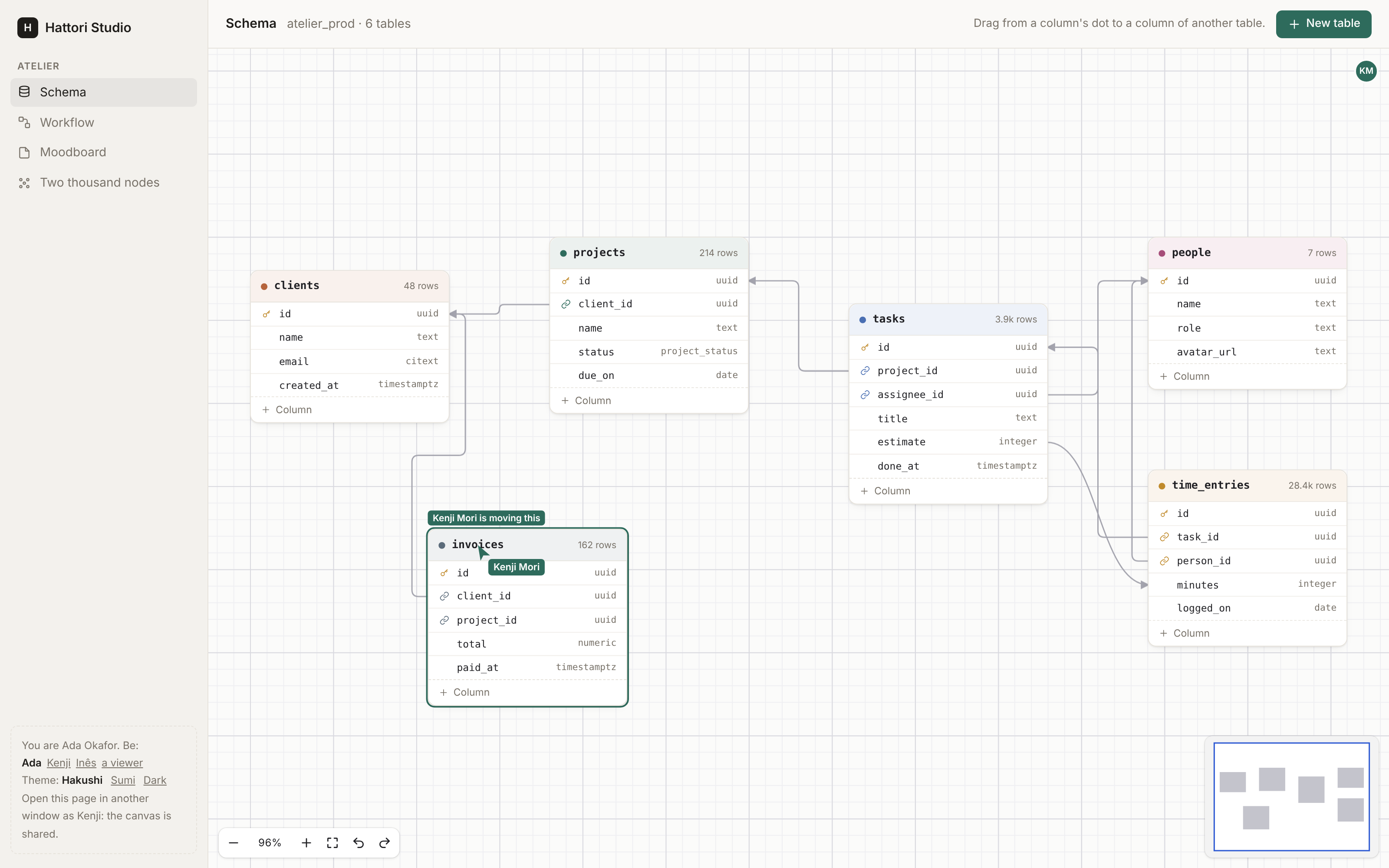
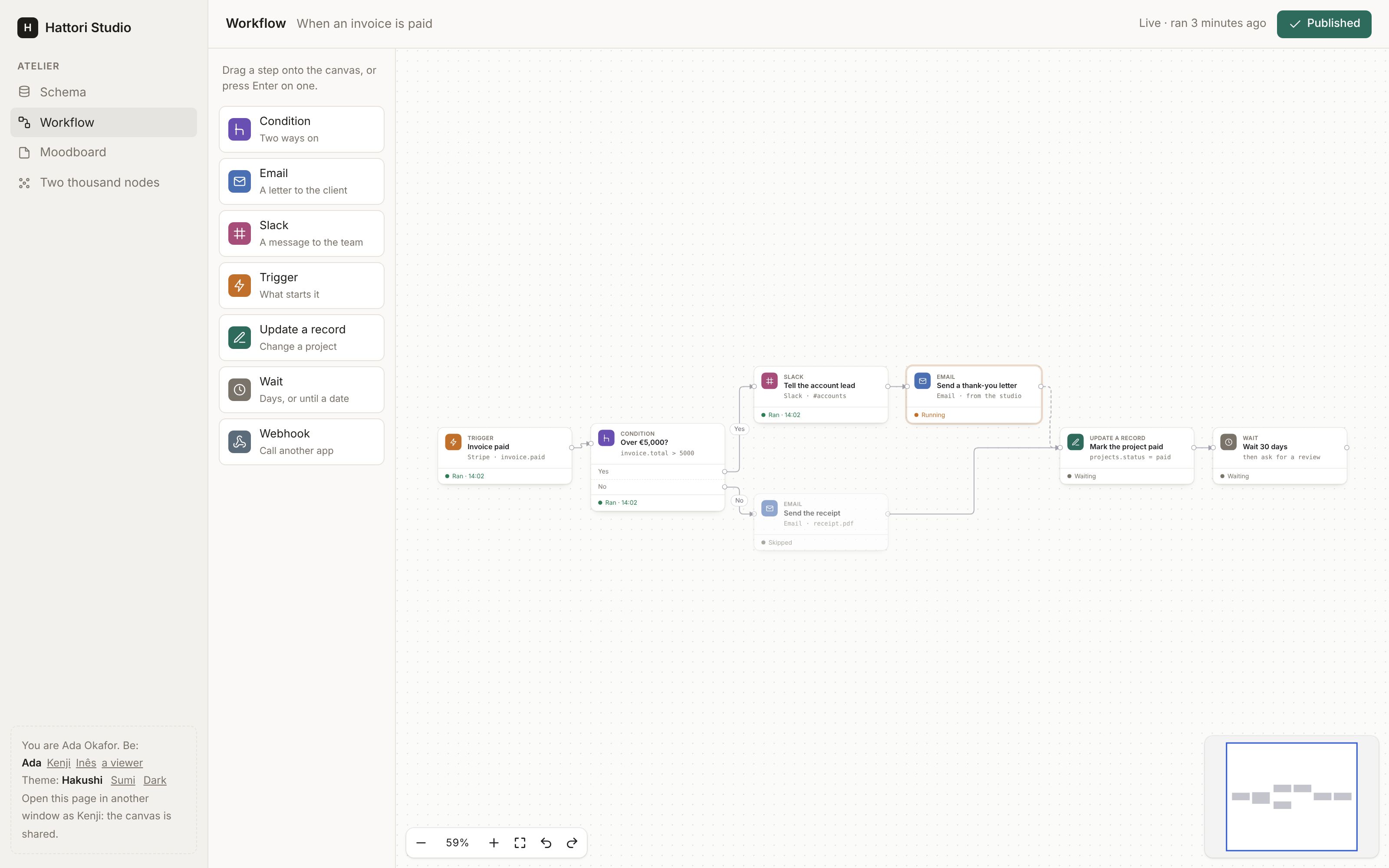
Open http://localhost:4099. The demo is a small project tool with four
canvases: a schema, a workflow, a moodboard, and two thousand nodes
(`?n=10000` for more). The demo has Issho: open a second window as
Kenji (the panel at the bottom left) to edit the schema or the workflow
together.
## Guides
[Quickstart](guides/quickstart.md) ·
[Nodes](guides/nodes.md) ·
[Edges](guides/edges.md) ·
[Groups](guides/groups.md) ·
[Kits](guides/kits.md) ·
[In a page](guides/embedding.md) ·
[Layout and export](guides/layout.md) ·
[Changes](guides/changes.md) ·
[Collaboration](guides/collaboration.md) ·
[Navigation](guides/navigation.md) ·
[Testing](guides/testing.md) ·
[Theming](guides/theming.md) ·
[Accessibility](guides/accessibility.md) ·
[Features](guides/features.md) ·
[Known limits](guides/limits.md)
## Development
```sh
mix setup # deps, and the npm packages of assets/ and e2e/
mix dev # the development app at http://localhost:4099
mix test # the Elixir tests
mix test.js # the unit tests of the TypeScript modules
mix test.e2e # the browser tests (Playwright) against the development app
```
See [CONTRIBUTING.md](https://github.com/hattoriai/hakushi/blob/main/CONTRIBUTING.md)
before you open a pull request. Report security problems privately, as
[SECURITY.md](https://github.com/hattoriai/hakushi/blob/main/SECURITY.md)
says.
## License
MIT. See `LICENSE`.