Packages
ex_debug_toolbar
0.1.12
A debug web toolbar for Phoenix projects to display all sorts of information about request
Current section
Files
Jump to
Current section
Files
ex_debug_toolbar
README.md
README.md
`ex_debug_toolbar` is a toolbar for Phoenix projects to display all sorts of informationabout current and previous requests: logs, timelines, database queries etc.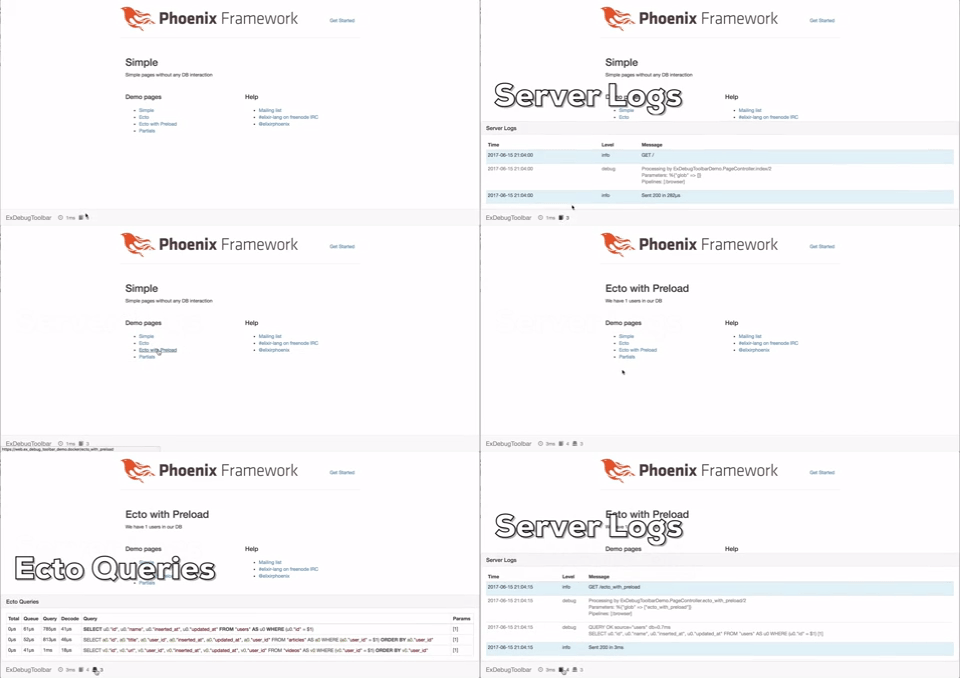# Installation 1. Add `ex_debug_toolbar` to your list of dependencies in `mix.exs`: ```elixir def deps do [{:ex_debug_toolbar, "~> 0.1.0"}] end ``` 2. Ensure `:ex_debug_toolbar` is started before your application: ```elixir def application do [applications: [:ex_debug_toolbar, :logger]] end ``` 2. Add `ExDebugToolbar.Phoenix` to your endpoint in `lib/my_app/endpoint.ex` ```elixir defmodule MyApp.Endpoint do use Phoenix.Endpoint, otp_app: :my_app use ExDebugToolbar.Phoenix ... end ``` 3. Enable toolbar in config `config/dev.exs` and setup collectors. Replace `:my_app` and `MyApp` with your application name ```elixir # ExDebugToolbar config config :ex_debug_toolbar, enable: true config :my_app, MyApp.Endpoint, instrumenters: [ExDebugToolbar.Collector.InstrumentationCollector] config :my_app, MyApp.Repo, loggers: [ExDebugToolbar.Collector.EctoCollector, Ecto.LogEntry] config :phoenix, :template_engines, eex: ExDebugToolbar.Template.EExEngine, exs: ExDebugToolbar.Template.ExsEngine ``` 4. To display parallel Ecto preloads you have to use `master` branch ```elixir defp deps do [ {:ecto, github: "elixir-ecto/ecto", branch: "master", override: true} ] end ```# ContributorsSpecial thanks goes to [Juan Peri](https://github.com/epilgrim)!# Contribution Contributions in the form of bug reports, pull requests, or thoughtful discussions in the GitHub issue tracker are welcome!# TODO- [ ] Hide debug logs/output behind `debug: true` config- [ ] Add custom messages to toolbar- [ ] Add metadata to events and use groupable names (template.render, controller.render etc)- [ ] Decorator for functions to time them- [ ] System info panel- [ ] Help/Docs Panel- [ ] Add specs- [ ] Request history- [ ] Improve Docs- [ ] Ajax calls- [ ] Channels info- [ ] Visualize timeline- [ ] Visualize gettext- [ ] Simple installer mix task- [ ] Upgrade to Phoenix 1.3- [ ] Configurable URL path (instead of hardcoded `__ex_debug_toolbar__`)- [ ] Elm/React instead of jquery?## Demo App Use [demo app](https://github.com/kagux/ex_debug_toolbar_demo) to simplify development process.