Hex 2.5 is focused on making it harder for a malicious or compromised release to reach your system. Supply chain attacks on package registries have become routine, and the pattern is familiar across every ecosystem. An attacker compromises a maintainer account or a build pipeline, publishes a tampered release, and automated tooling pulls it into thousands of projects within hours, long before anyone notices.
This release adds three layers of defense. Security advisories are now surfaced directly in your terminal when you fetch or update dependencies. A new release-age cooldown keeps recently released versions out of resolution until they have had time to be vetted. And organizations can publish dependency policies that enforce these rules centrally across every project or user that opts in.
Security advisories in your terminal
Hex has long warned about retired packages. It now does the same for packages with known security advisories. When you run mix deps.get or mix deps.update and a resolved version carries an advisory, Hex flags it inline and prints a summary at the end of the run.
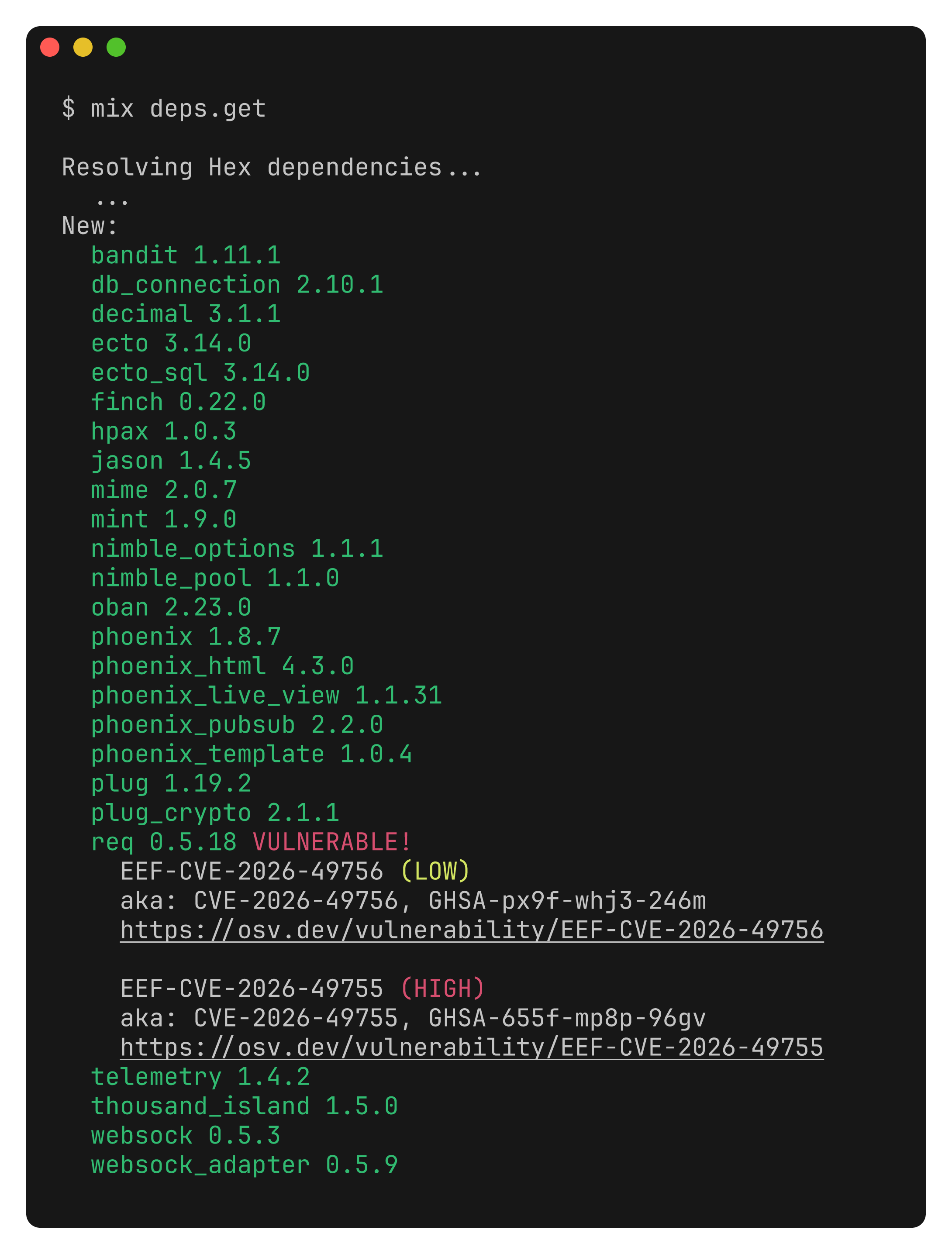
This requires no configuration and applies to every project. Advisories that are aliased across multiple databases are now deduplicated, so a single vulnerability is reported once rather than several times.
The mix deps.get and mix deps.update warnings are informational and do not fail the build by default. You can make them stricter in two ways:
-
Set a policy and/or cooldown periods that will restrict adding any new dependencies during
mix deps.getormix deps.update -
Run
mix hex.auditto inspect your lockfile and exit with a non-zero status if any existing dependency carries an advisory or has been retired, which makes it a natural step to add to CI
Release-age cooldown
The cooldown withholds freshly published versions from dependency resolution until they reach a minimum age. Waiting a while before adopting a new version can reduce risk, assuming malicious releases are caught and retired in a short period of time.
You configure it with the cooldown setting, which accepts durations in days, weeks, or months:
# mix.exs
def project do
  [
    # ...
    hex: [cooldown: "7d"]
  ]
end
It can also be set with the HEX_COOLDOWN environment variable or globally with mix hex.config cooldown 7d. Durations are written as 7d, 2w, or 1mo.
The cooldown only ever shrinks the solver's candidate set. It doesn't affect dependencies already in your lockfile, they are trusted and installed as-is, so a cooldown you turn on today will not disrupt an existing project or prevent you from fetching a package that has already been "approved". It applies when resolution actually runs: mix deps.get with changes, mix deps.update, and Mix.install/2. There is also a deliberate escape hatch. If the version you are currently locked to has been retired or carries an advisory, the cooldown is lifted for that package so you are never trapped on a known-unsafe release while waiting out the window.
When the cooldown hides a version, Hex tells you which ones and when they become eligible.
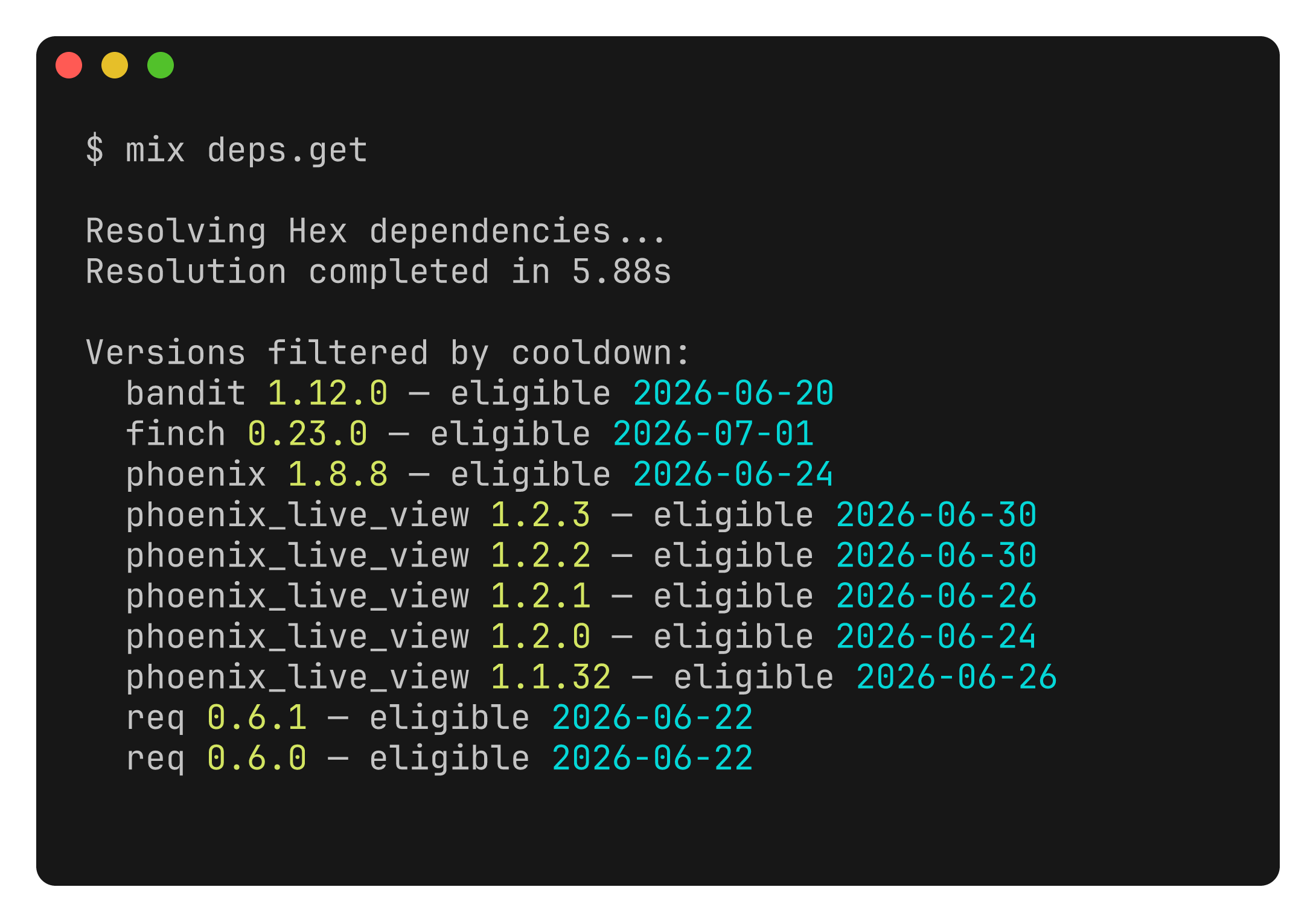
mix hex.outdated is cooldown-aware too. Held-back updates are annotated with (cooldown) rather than hidden, so you can still see what is available and when it becomes installable. If you operate your own organization repository and want hotfixes to bypass the wait, list it under cooldown_exclude_repos.
Dependency policies
Cooldowns and advisory rules are useful per project, but on a team you do not want every developer to remember to configure them, and you do not want the rules to drift between repositories. Dependency policies move the rules to where they belong: published once by an organization, enforced everywhere that opts in. This is the feature we previewed when we released Hex 2.4, aimed at attacks like the axios compromise on npm.
An organization admin creates a named policy from the hex.pm dashboard. A policy targets one or more repositories, typically the organization's own private repo and the public hexpm repo, and for each one it sets a restriction and any number of per-package overrides.
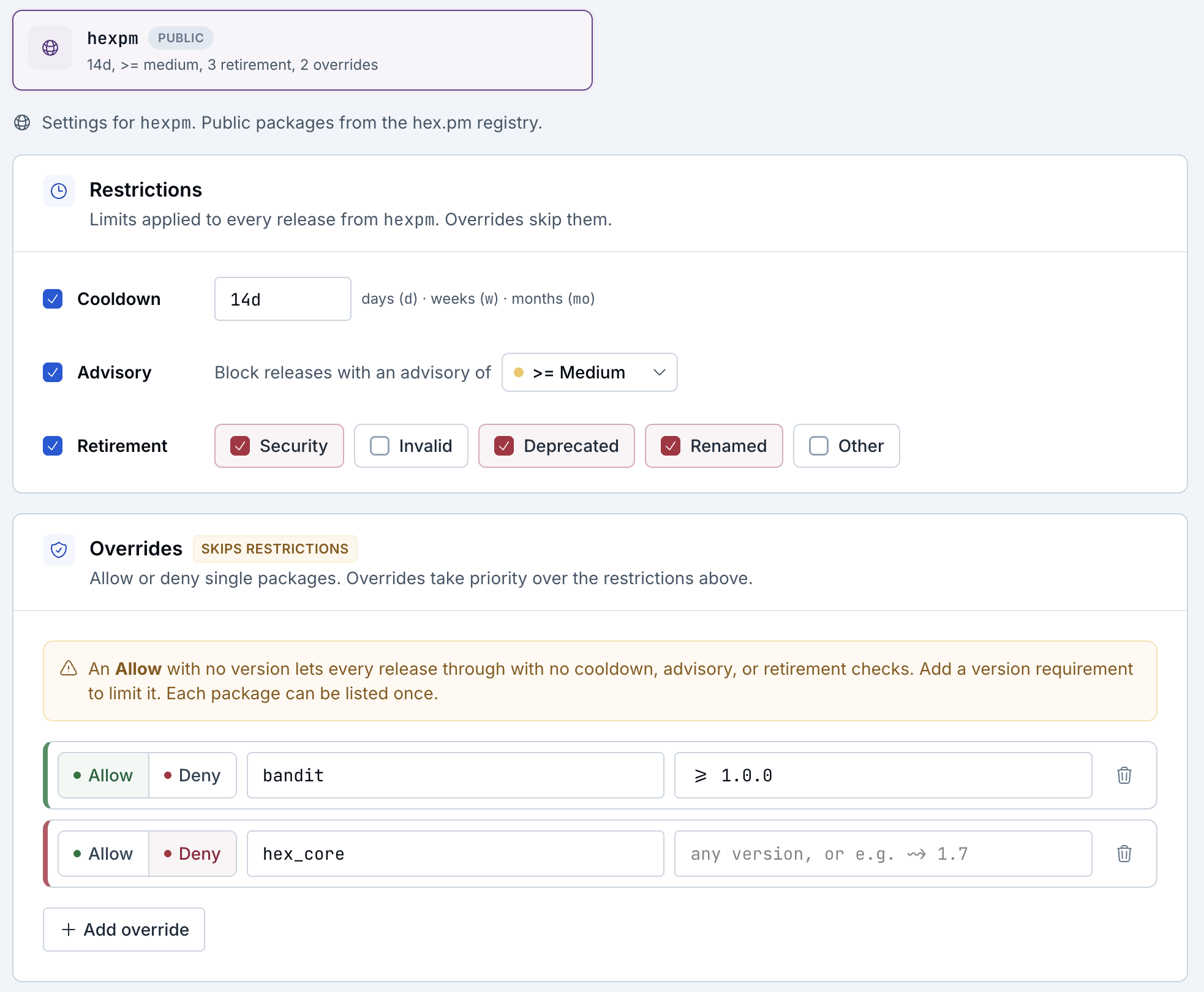
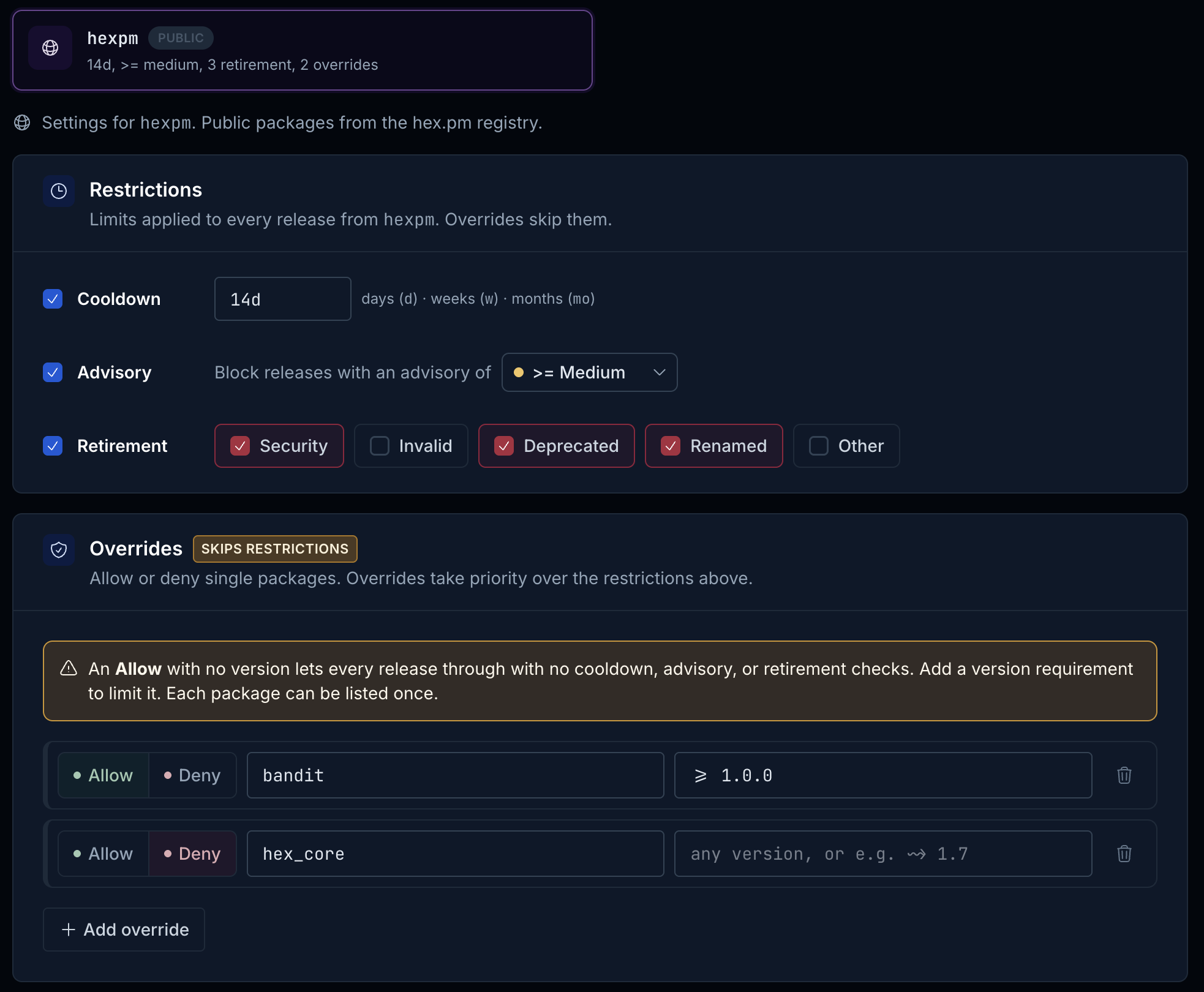
A restriction can block releases that carry a security advisory at or above a chosen severity, are retired for one of a chosen set of reasons, or are newer than a release-age cooldown window. Overrides handle the exceptions. An allow override exempts a specific package, or a specific version range of it, from the restriction; a deny override blocks one outright.
Policies are signed and served through the organization's repository, the same trusted channel as the package registry itself, so the client can verify them.
Policies are not limited to private organizations. A public organization can publish one too, so an open source project can enforce its own rules across every contributor who builds it. A public organization's policy is itself public, since it exists to protect everyone working on the project.
A project opts into a single policy with the policy setting, using the same precedence as every other Hex option:
# mix.exs
def project do
  [
    # ...
    hex: [policy: [org: "myorg", name: "strict-prod"]]
  ]
end
You can also use HEX_POLICY=hexpm:myorg/strict-prod or mix hex.config policy hexpm:myorg/strict-prod. Policy enforcement fails closed: if a policy is configured but cannot be fetched or is malformed, resolution stops rather than proceeding unprotected.
Two new commands make the active policy legible from the terminal. mix hex.policy show summarizes it:
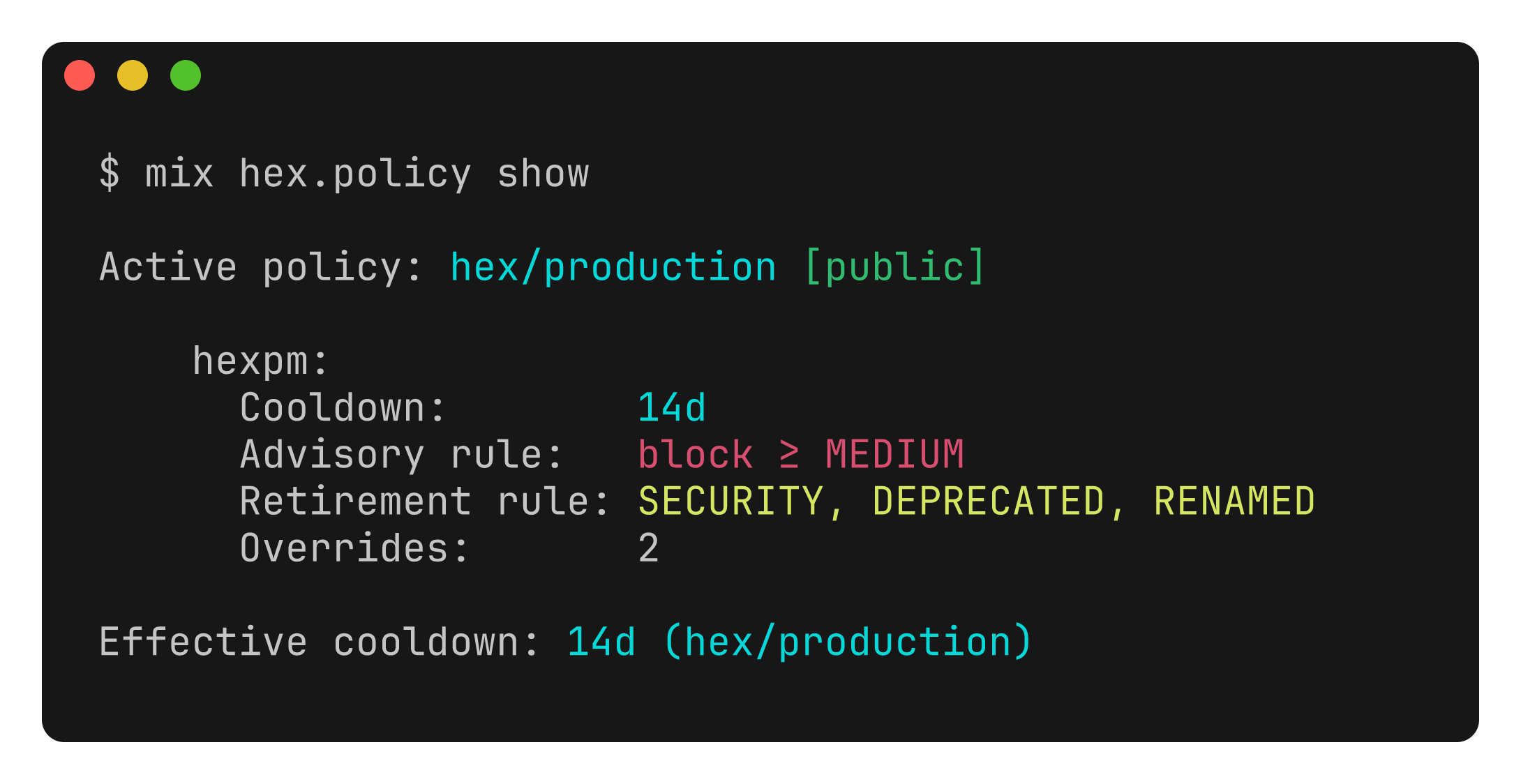
And mix hex.policy why PACKAGE walks every version of a package and shows exactly which are blocked and why:
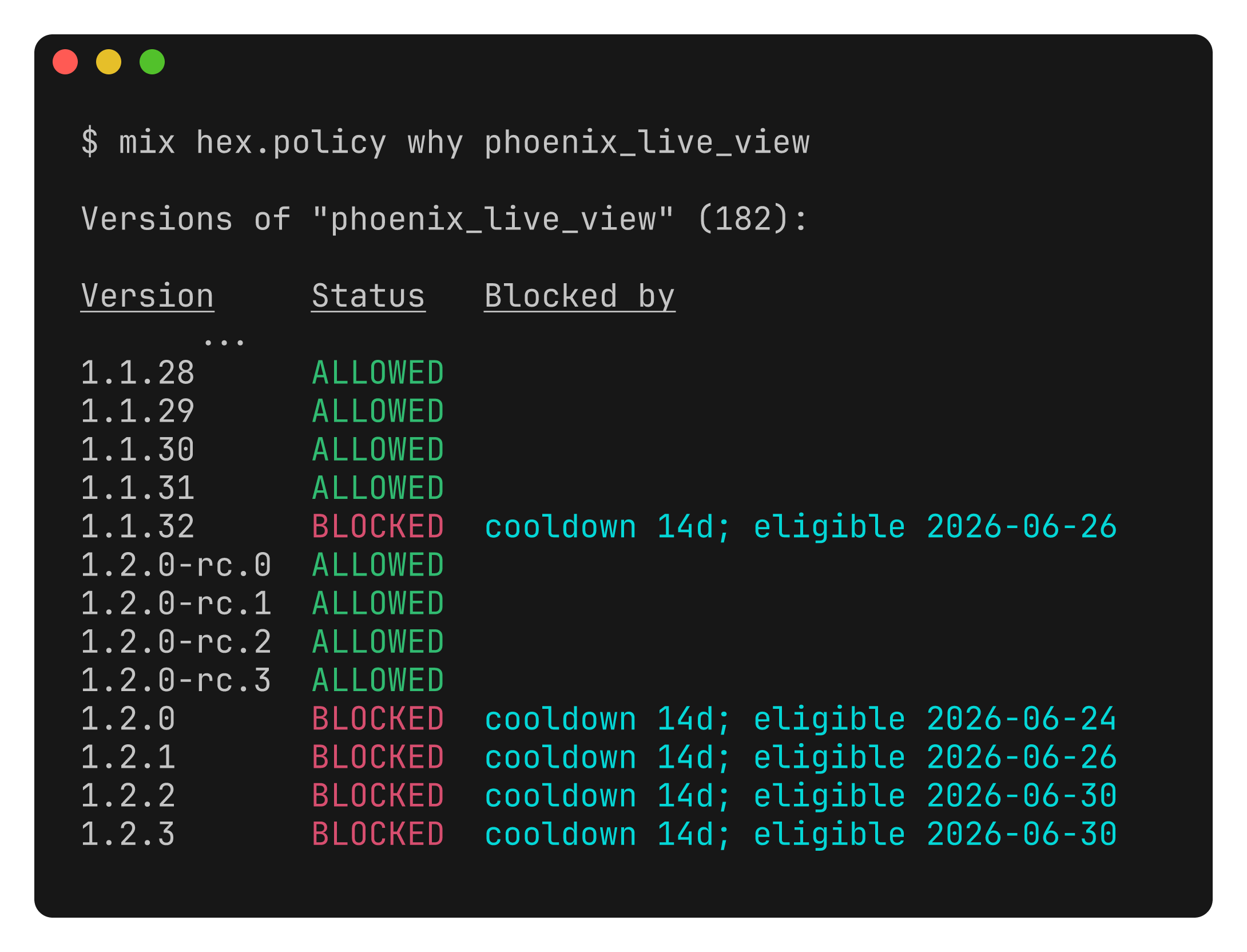
During a normal mix deps.get, policy filtering is reported alongside the cooldown summary, with a per-version listing of what was hidden. If a restriction blocks every version a direct dependency could resolve to, resolution fails with a focused note explaining which versions the policy hid, so the cause is never a mystery.
Upgrading
Update Hex to the latest version by running mix local.hex. For the full list of changes see the release notes, and for the complete guide to dependency policies see the documentation.